
Celtic Art Archival Prints

Celtic Art Posters

Celtic Art Books

celtic art calendar


Celtic Patterns Odds & Ends
 

Designs by Guest Artists


Celtic Art Celtic Design T-shirts & Hoodies for Men Celtic Design Ladies' Shirts & Hoodies Celtic Design Kids' Shirts & Hoodies Celtic Design Bags & Totes Celtic Art Coffee Mugs Celtic Art Boxes Celtic Border Design Tiles Framed Celtic Art Tiles Celtic Designs Greeting Cards Celtic Designs Bookplates Celtic Designs Journals

Celtic Art & Retro-Futuristic Design


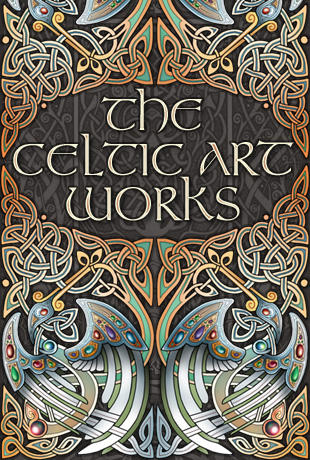
Ten selected designs from the Celtic Art side of the store in a slideshow-style screen saver for Windows computers.
The screen saver is a ZIP compressed file of about 3 1/2 megabytes. You may need Winzip to extract it.


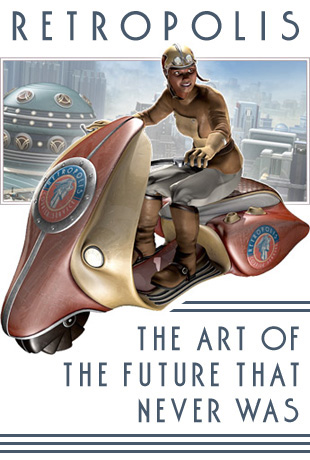
Eleven selected images from the Retropolis side of the store in a slideshow-style screen saver for Windows computers.
The screen saver is a ZIP compressed file of about 2 1/2 megabytes. You may need Winzip to extract it.


CELTIC ART SCREEN SAVER
 
RETROPOLIS SCREEN SAVER


1. Click on the link for the screen saver you want to download. If prompted, select "Save File to Disk". Remember where you are saving it to!

2. When the file has downloaded, open the folder where you chose to put it. If you have Winzip installed you can just double-click the file to open it in WinZip. Extract everything to the same folder where you downloaded the original file.

3. You should now have a new executable file in the folder. This is the installation program that will install the screen saver. Double click on this new file to run the installer.

4. When it's finished, the screen saver will be installed on your system. You can tell Windows to use this screen saver through the "Display" panel (the easiest way to  open this panel is to right-click on an empty place on the Desktop and select "Properties"). In the Display Panel, click on the "Screen Savers" tab and select your new screen saver from the dropdown list. You're done!

5. By default the screen saver can be stopped by clicking the mouse or pressing a key on the keyboard. Just moving the mouse doesn't exit the screen saver.

6. To uninstall, go to the folder where Setup installed the screen saver. There's an uninstall icon there. Double clicking this icon will remove the screen saver from your computer.


Retro Science Fiction Art Prints


Retro Space Posters

Retro Science Fiction Calendar


Retro SciFi Greeting Cards

Odds & Ends with Retro Robots and Rockets
 

Designs by Guest Artists
Retro Science Fiction Comic Book
Retropolis Retro Futuristic T-Shirts for Men Retro Futuristic Ladies' Shirts & Hoodies Retro Futuristic Kids Shirts & Hoodies Retro Futuristic Bags & Totes Retro Robots on Mugs & Coasters Retro Rockets on Boxes Framed Retro SciFi Tiles


AFFILIATE SALES PROGRAM
Never trust a man in a blue trenchcoat.   Never drive a car when you're dead.  -  Tom Waits
Everything else, copyright  Bradley W. Schenck, 2007.    Be nice about that.  I'm just a regular guy.

Take Me Home It's all About MeYou NEVER CallYou're Always Right Links to the World Beyond